
South America · Travel connectivity
Ecuador eSIM Guide for Quito and the Galápagos
Check Ecuador mobile data, prepare your Galápagos flight documents, and save the Baltra to Puerto Ayora transfer offline.
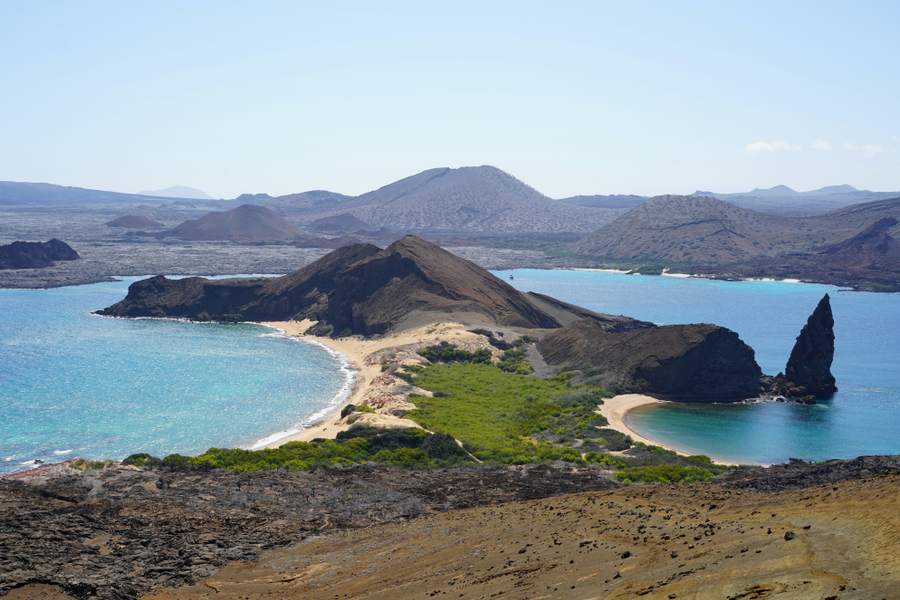
If you’re flying from Quito to the Galápagos, check your arrival airport and save the route to your accommodation before leaving the mainland. If you need mobile data, check that your plan lists Ecuador and ask about service on the specific islands you’ll visit. SimVago provides mobile data only, with no cellular calls or SMS.
Save your Galápagos flight and transit details
Check whether your flight lands at Baltra or San Cristóbal and use that airport name when arranging pickup. The Galápagos governing council publishes instructions for the Transit Control Card (TCT), including tourist preregistration. Check the current process before flying and keep your flight confirmations and any registration record accessible offline. Galápagos Transit Control Card guidance
From Baltra, save each leg to Puerto Ayora
Baltra Airport describes a bus to the Itabaca Channel, a boat crossing to Santa Cruz, and a bus or taxi from there to Puerto Ayora. If you booked a transfer, ask your operator where they meet you and which legs they arrange. Baltra Airport ground transport
- Save your accommodation address, pickup instructions, and operator contact where you can open them without signing in.
- If someone will meet you on Santa Cruz, confirm which side of the channel and agree on where to wait if you cannot send a message.
- For the return flight, save the reverse route and check that the bus and boat connections give you time to reach check-in.

Check mobile data on the mainland and the islands
Ask the provider about service at the places you’ll need it in Quito and the Galápagos. If you’re continuing to another island, check that stop as well and save the interisland booking and pickup details offline. Compare the plan’s allowance and validity with your travel dates.

Test your eSIM before leaving the mainland
Confirm your phone is unlocked and supports eSIM. Follow the plan’s installation instructions over Wi-Fi and check when validity starts. Once in Ecuador, select the travel eSIM for mobile data and load a fresh webpage with Wi-Fi off. If you need a verification text, arrange access through your home carrier or another method the service supports.