
Africa · Travel connectivity
Mayotte eSIM Guide for Dzaoudzi and Mamoudzou
Check Mayotte eSIM coverage and save airport pickup, barge and onward transfer details for Petite-Terre and Grande-Terre.
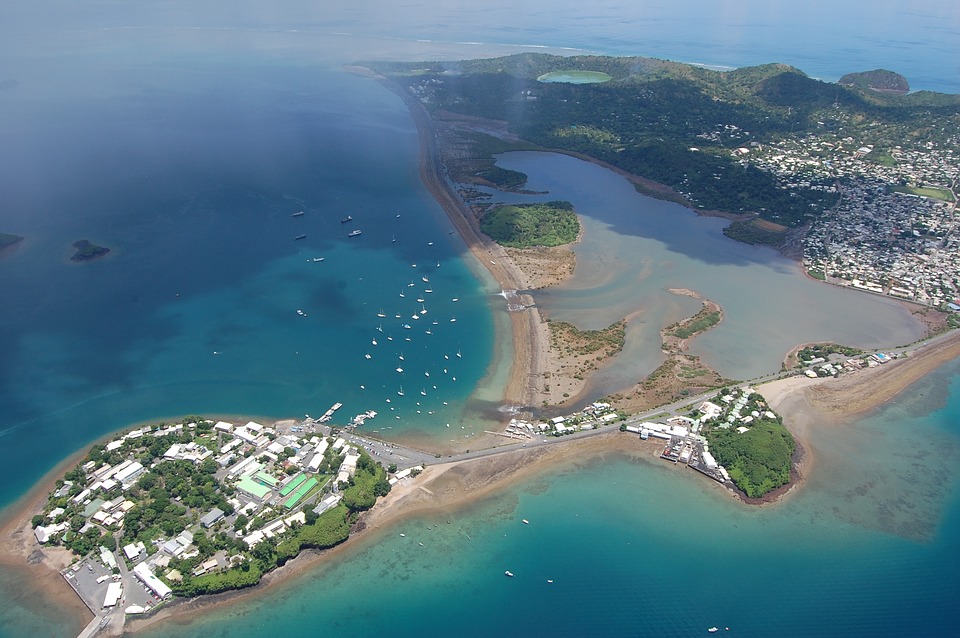
If you land at Dzaoudzi–Pamandzi Airport and are staying in Mamoudzou, plan for a transfer from Petite-Terre and a barge crossing to Grande-Terre. Save both legs offline and check that your mobile plan includes Mayotte. SimVago provides mobile data for maps and app messaging. Standard cellular calls and SMS use a separate line. Mayotte tourism barge guide
Check whether your plan includes Mayotte
SimVago lists Mayotte separately in its catalog. If you’re comparing a France or regional plan, look for Mayotte by name and ask about the network at your accommodation. If you’re stopping in mainland France or Madagascar, check those destinations too. Confirm when plan validity begins before installing.
Confirm which side your driver will meet you on
Ask whether pickup is at the airport, at the Dzaoudzi barge quay or after the crossing in Mamoudzou. Save the meeting point, your lodging address and what to do if your flight is delayed. Check the current crossing schedule before departure, especially if your flight arrives late or you need to take a vehicle across. Mayotte Airport transport information

Keep both sides of the crossing available offline
Download a map covering the airport, both quays and the route to your accommodation. Open it in airplane mode to check it’s available. After landing, select the eSIM for mobile data and test a fresh page with Wi-Fi off. Keep the saved pickup instructions handy until you reach your accommodation.

Sources
- Mayotte Airport transport information Checked
- Mayotte tourism barge guide Checked